OpenPuck

OpenPuck is an opensource firmware for NRF52840 Pro Micro that copycats the Steam Controller 2 Puck and allows emulation of Xbox, Switch, and PS3/4/5 controllers and also includes an independant lizard mode (which can work on UAC prompts/task manager/etc). The Switch and PS3 modes have been verified to work on real consoles and Switch, PS4/5 modes have gyro (and touchpad where available) hooked in. Back 4 buttons are mappable for all emulated modes.
[!WARNING] Every part of this project HEAVILY used LLMs*
The Steam Controller 2
Released in 2026, the Steam Controller 2 represents the peak (IMO) of controller design. Trackpads, gyro, 4 back buttons, all with the flexibility of Steam Input brings the amazing flexiblity of the Steam Deck's controls to gaming PCs in general.
The "puck" is what the controller uses for wireless communication with the host device. It can handle 4 controllers paired to it at the same time and can run at a very low latency with all 4 connected. While the controller has a bluetooth mode too it has over twice the latency so the puck is truly where it's at.
The Problem
There are two fundamental problems with the controller:
-
The puck is not (yet) available for purchase separately from the controller so if you want a replacement or a second one (a single controller can pair to two) you're out of luck. Given Valve's track record I predict it'll never be available to buy as a separate accessory.
-
Steam Input isn't just a nicety, it's a requirement. This means that the controller is basically useless unless you have Steam running (outside of certain contexts that I personally consider niche). If, for example, you have gamepass and want to play FH6 through Gamepass you're gonna be in for a bad time and you'll probalby need specialized software running on your computer in order to make the controller work with it.
What this project does
Video Intro
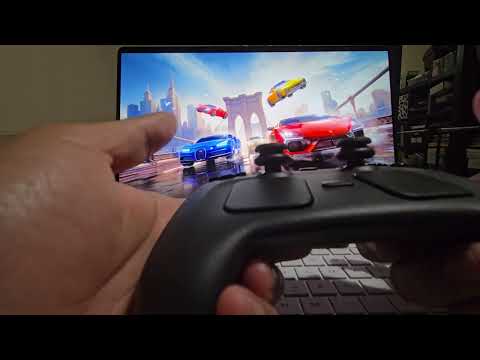
OpenPuck uses a Pro Micro NRF52840 ($8 on Amazon, possibly cheaper elsewhere) which uses a radio similar to the one being used by the controller and the puck. Once the arduino sketch is uploaded it emulates the puck over USB to Steam by default and allows pairing the controller normally (almost, the lizard mode for when Steam is off might not be 1:1). Latency has been measured to be within 1ms of the official puck.
At any point you can hold all 4 back buttons and press X to switch over to *Xbox mode which maps all canonical inputs to their expected counterparts (plus L4 -> LB, L5 -> L3, etc which are configurable). In this mode the right trackpad acts as a mouse but at present this only works in Android and SteamOS.
Similarly you can hold all 4 back buttons and press Y to switch (teehee) over to a Switch mode. This emulates a pro controller full with gyro and haptics. There's other modes as well:
| Button combo (configurable) | Mode | Comment |
|---|---|---|
| back-4 + A | Steam | Steam Controller Mode |
| back-4 + B | Lizard | Lizard mode, even if Steam is open |
| back-4 + X | Xbox | Xbox 360 Controller |
| back-4 + Y | Switch Pro | Switch Controller + Gyro + Haptics |
| WebUSB panel → mode 4 | Hori Pad | Switch mode with no gyro or haptics |
| WebUSB panel → mode 5 | DualSense + Gyro + Trackpad | PC only |
| WebUSB panel → mode 6 | DS4/HIDGYRO + Gyro + Trackpad | PC only |
| WebUSB panel → mode 9 | PS3 DualShock 3 / Sixaxis | Enumerates on a real PS3 (+ gyro/haptics) |
I'm also adding various QOL items as I go as well. For example having to hold the Steam button for like 6 seconds feels like an eternity. If Steam is open you can do Steam + Y for a shutdown. I'm adding Steam + Y for 2 seconds as a shutdown chort in ALL modes now.
Note: to use the Switch mode on a real Switch you'll need to enable the pro controller wired communication option.
A note on the Lizard mode:
The Lizard mode behaves similarly to how the controller behaves when Steam is closed, but this will work even when Steam is open. This has a few advantages the biggest one being that you can use inputs when a high privilege application is in the foreground (like the Task Manager, when using Steam if you wanna be able to do that Steam must be run as admin).
Additionally it has some shortcuts that might be useful: Steam + L5/R5 will do volume control, RB is Alt so you can RB + Select to move through windows, LB is Ctrl and Steam + L4 ls Ctrl + Alt + Delete.
How to install/use it
Video demo
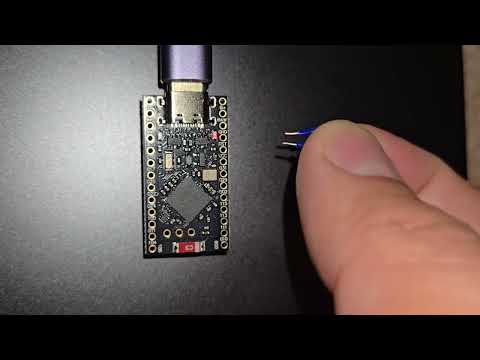
The easiest way to install is to grab a uf2 file from the GitHub releases and drag and drop it onto the folder that the microcontroller mounts when in DFU mode. Fresh microcontrollers should already be in DFU mode and present like a flash drive. If they are not in DFU mode you'll need to short the RST and GND pints twice in quick succession. If you've already flashed openpuck you can update it straight from the webusb configurator's Firmware update tab: pick a version from the built-in releases list (with an optional factory-reset variant), or drag and drop a .uf2 — the firmware is sent to the puck over the same WebUSB connection, verified on-device, and applied automatically on a reboot. A failed or interrupted transfer leaves the running firmware untouched, and even a power cut during the apply just leaves the puck in its UF2 bootloader (drag-and-drop recovery) — it can't end up half-flashed. The UF2 DFU button still reboots into the mass-storage bootloader for manual drag-and-drop.
See build instructions document for details on how to flash the MCU during development.
Pairing
Both OpenPuck and the controller need to be hooked up to the same machine with a data capable USB C cable at the same time and Steam must be running. Steam should in most cases automatically pop up a menu to pair the controller. If not, you can go to Settings -> Controllers and press "Add Controller".
If you want to use the second slot for OpenPuck, you'll need to first turn the controller off and then hold LB + A + Steam to turn the controller back on (the chime when the controller comes on in this mode sounds different). Then connect the USB C cable and continue to pair.
Switching slots requires turning the controller off (Steam + Y if steam is running, Steam + Y held for 2 seconds if Steam isn't running or if you're in a different mode, or just hold the Steam button for an eternity until the controller shuts off) and then you hold RB for slot 1 and LB for slot 2 while holding A and Steam to turn the controller back on.
Configuration
A webusb based configuration UI is available here. It allows Switching the mode manually and changing the back button mapping for other modes among other things. This will likely only work in Chrome and Edge and needs the pro micro to be connected via USB to the same computer for it to function. Note that it might not work in all modes on all machines but should always work in the Steam Controller mode (which you can revert to with back-4 + A). Note that in some modes the webusb connection might not work. If you're encountering that try going back to the Steam Controller mode and unplugging and replugging the dongle.
If you're running Linux and your browser still shows "disconnected" after selecting the OpenPuck in the device selector, it's probably a permissions issue. Check this document for more details.
You can copy configurations between OpenPucks using the export/import card in this webusb UI as well. This allows for some interesting hotswapping capability where controllers can switch between pucks without needing to swap slots.
3D Printed Cases
- jaki-gh has contributed a 3D printable housing with OpenPuck written on it alongside a Steam logo. You can find that here.
- BOT-Yanni designed a slim case with OpenPuck written on it and a cute little glyph of the Steam Controller. You can find that here.
- StonnedModder built a case meant to accomodate a USB C to USB A adapter which you can find here.
- Another plain case for these pro micros can be found here.
ReversePuck
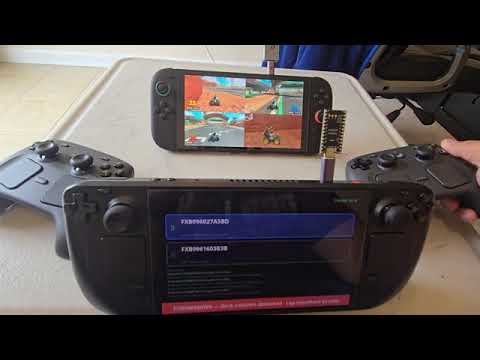
This is a tool to emulate a Steam Controller 2 with almost all of its inputs (except grip) using a Steam Deck and allow it to connect over a low latency 2.4ghz connection to OpenPuck (this does not work with the official puck yet). Flash the firmware onto an NRF52840 Pro Micro and copy over the ReversePuck folder onto the Steam Deck (you might need to install UV). Then add the ReversePuck script as a non steam game. Attach both the dongle and OpenPuck to the same machine and do pairing through Steam (which will say pairing has failed but it's actually fine). Then connect the OpenPuck to whatever machine you want to use your controllers on and the dongle to the Steam Deck. Launch the ReversePuck app in gamemode and you'll see the serial number of the OpenPuck show up in green. Press it and it'll turn blue at which point the Deck will show up as a controller on the host device. See video below for a demonstration of this in action (yes, other Steam Controllers can be connected to the same OpenPuck at the same time).
Future work
- Find a way to make Xinput mode and mouse work together on all platforms
- Design the charging portion (and make it short proof)
- Make ReversePuck into a system that you can plug into most controllers and allow them to talk to OpenPuck
- A BLE version of OpenPuck that can allow Steam Controllers and other BLE controllers to coexist
Contributions
The firmware is split into small, single-responsibility modules under OpenPuck/ (one file per emulated controller, plus the RF, config, and host-interface layers). Start with ARCHITECTURE.md for the map of how it all fits together and how to add a new USB personality.
I have tested this software fairly extensively but I have limited resources. Please submit issues with any issues you find. PRs also welcome of course.
Acknowledgements
- Valve for putting out the amazing controller
- Whoever wrote the drivers for SDL / Linux
- Alan for not scalping and selling me this controller for $120
- https://github.com/knflrpn/2wiCC for the Switch Pro controller mode help
- Massive thanks to u/Careful_Tune4744 for latency testing as well as testing and giving feedback on the Switch Pro mode
- Thanks to Lawstorant from a mutual discord server for constructive criticism of the repo's state
- Everyone that participated in issue #17 or reported/tested stability issues on various boards
* On LLM Use
Everything from discovery of the protocol to writing the arduino sketch and running various automated benchmarks invovled Claude and Codex. This readme is the only organic, single origin, ethically sourced and humanely slaughtered assemblage of words in this project. I have done my level best to review the code and I invite anyone concerned about the stability or security of this project to do the same. I test thoroughly and obsessively as the primary purpose of this project is to bring some much needed QOL to my own use of the Steam Controller.
I want nothing more than for there to be a fully human coded alternative to OpenPuck that's on par with or better in every way. I would love to stop working on OpenPuck. If someone builds an alternative that matches this criteria I would also happily change the name of this project and archive this repo.