#+title: pi-coding-agent #+author: Daniel Nouri #+options: toc:nil num:nil
#+html:  #+html:
  #+html:
  #+html:
  #+html:
  #+html:
#+html:
Jump to: Quick start · #+html: Everyday workflow #+html: (composing prompts, #+html: reading output, #+html: sessions, #+html: shortcuts) · #+html: Troubleshooting · #+html: Comparison · #+html: Advanced · #+html: Development
- What is pi-coding-agent for Emacs? 🦬
=pi-coding-agent= is an Emacs frontend for [[https://pi.dev][Pi]]. The Pi CLI still runs the agent, talks to models, and executes tools. This package wraps Pi in an ergonomic Emacs interface: a Markdown chat buffer for the conversation and a separate prompt buffer where you compose the next message.
The immediate advantage is that your prompt is no longer trapped in a terminal text box. You can edit it like any other Emacs buffer, scroll through the chat without losing focus, navigate and copy from previous output with ease, and use the key bindings and editing habits you already have.
#+html: 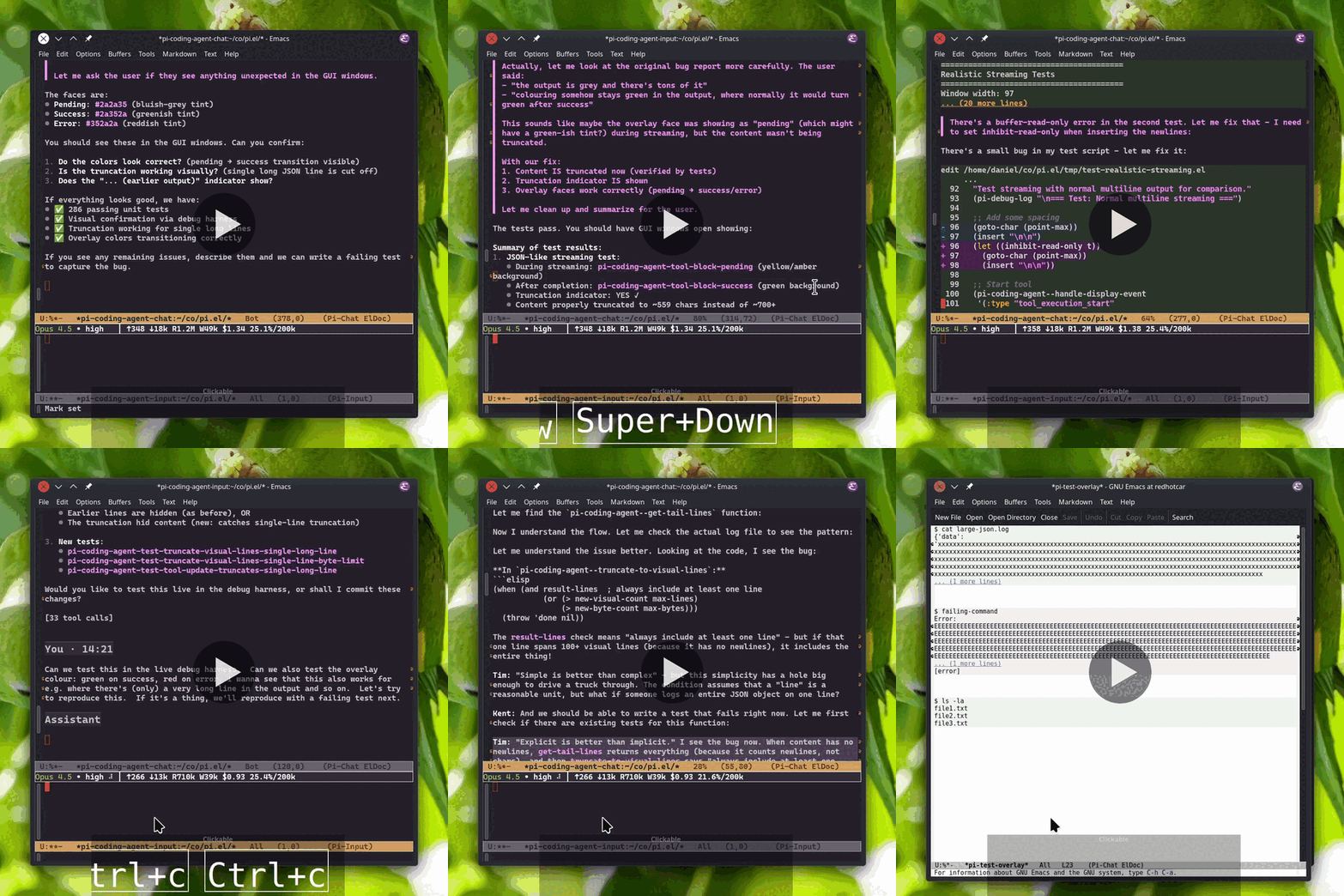 #+html:
Video music: "Electrodoodle" by Kevin MacLeod #+html: (incompetech.com), #+html: licensed under CC BY 4.0.
- Quick start 🚀
If you already have Emacs 29.1 or later with tree-sitter support, this is the shortest path to a usable session.
** Requirements ✅
- Emacs 29.1 or later, built with tree-sitter support
- Node.js 22.19 or later for the pi CLI
- [[https://pi.dev][pi coding agent]] =@earendil-works/pi-coding-agent@0.79.1= or later, installed and in =PATH= on the host where Pi runs
- Pi CLI authentication: a provider API key, or a one-time =/login= run in a terminal (see [[*Install pi and authenticate][Install pi and authenticate]])
- A C compiler if Emacs needs to compile tree-sitter grammars
** Install pi and authenticate 🔐
#+begin_src bash
Install the pi CLI
npm install -g @earendil-works/pi-coding-agent
Or with mise
mise use -g npm:@earendil-works/pi-coding-agent@latest
Authenticate the CLI: either set a provider API key (see below), or
run pi interactively in a terminal and type /login.
#+end_src
Pi authenticates in one of two ways:
-
Subscription or API key via =/login=: =/login= is an interactive command that is unavailable from Emacs: run plain =pi= once in a terminal and type =/login=; you can then pick a subscription such as ChatGPT Plus/Pro, or choose a provider and enter its API key. Credentials are stored in =~/.pi/agent/auth.json= and auto-refresh, so later Emacs sessions pick them up automatically.
-
Provider API key (no terminal login needed): export a provider environment variable, e.g. =export ZAI_API_KEY=...=, or add an entry to =~/.pi/agent/auth.json=. Pi supports many providers including DeepSeek, OpenAI, Z.AI. See the [[https://pi.dev/docs/latest/providers][providers documentation]] for the full set and its environment variables.
** Install the Emacs package 📦
Install from [[https://melpa.org/#/pi-coding-agent][MELPA]]:
#+begin_src M-x package-install RET pi-coding-agent RET #+end_src
Then start a session:
#+begin_src M-x pi-coding-agent #+end_src
On first start, =pi-coding-agent= may prompt to install the tree-sitter grammars needed for Markdown rendering. Say yes if you want the chat buffer to render properly. Grammar installation is a one-time step and requires a C compiler (=gcc= or =cc=).
You may also define a shorter command name:
#+begin_src emacs-lisp (defalias 'pi 'pi-coding-agent) #+end_src
After that, =M-x pi= starts or focuses the current project's pi session.
- Everyday workflow 🧭
Start a session with =M-x pi-coding-agent=. =pi-coding-agent= opens two windows:
- Chat buffer at the top: rendered Markdown conversation history, tool output, thinking blocks, and previous turns.
- Input buffer at the bottom: a normal Emacs buffer where you write the next prompt.
The input header line shows the current model, thinking level, activity phase, cost and context usage, session name, and extension status when available. The model and thinking fields can be clicked to change their values.
Type in the input buffer and press =C-c C-c= to send. If Pi is already working, =C-c C-c= queues the text as a follow-up and sends it when the current turn finishes. Press =C-c C-s= while Pi is busy to send a steering message: it is delivered after the current tool call and interrupts the remaining queued tools. Press =C-c C-k= to abort the current response or compaction.
Press =C-c C-p= for the transient menu which allows you to conveniently discover commands and shortcuts for model selection, thinking level, sessions, fork, compact, export, stats, skills and custom commands.
#+html: ** Composing prompts ✍️
The input buffer is intentionally boring Emacs. Write multi-line prompts, paste from other buffers, use the kill ring, keyboard macros, registers, spell checks, Evil, or whatever else your setup already gives you. Your prompt stays in the bottom window while the conversation streams above it.
Slash commands work with completion: type =/= then =TAB= to complete
built-in commands and pi commands such as prompt templates, skills,
and extension commands. Prompt templates are discovered from places
such as =/.pi/agent/prompts/=, and skills from =/.agents/skills/=.
File references also complete: use =TAB= on paths such as =./=, =../=,
and =~/=. Absolute paths complete too, except for a bare =/= at the
start of the buffer, where slash-command completion wins.
While composing, you can page through the chat without moving focus out of the input buffer. Use =M+PageDown= and =M+PageUp= to scroll the linked chat window (also known as =M-= and =M-=). If your terminal does not send those keys, =C-M-v= and =C-M-S-v= are the traditional Emacs fallbacks.
The chat buffer is rendered as Markdown and uses tree-sitter for syntax highlighting code blocks and diffs. Long tool output is collapsed to a preview so the chat stays readable; press =TAB= on a tool block to expand or collapse it. Long-running commands stream output live, file operations (=read=, =write=, =edit=) get syntax highlighting, and edit diffs highlight what changed.
Markdown pipe tables get a display-only treatment: wide tables are wrapped and drawn to neatly fit window width, with cleaner separators, while the underlying buffer text remains ordinary Markdown.
Press =RET= on one strict file target at point: a file-content row in tool output, a plain path reference, or the label of a local Markdown link. Tool headers, fences, preview hints, and other non-content rows do not open files. Plain locations such as =src/app.el:12:3= visit their one-based physical file line and optional one-based column; a range such as =src/app.el#L12-L20= visits its first line only. If an explicit location is outside an existing narrowing, the default =widen-automatically= policy widens the file. Coordinates apply only to file-visiting buffers; directory targets retain native Dired point and marks. A target without a location keeps the point, mark, and narrowing chosen by normal Emacs file visiting.
By default Pi requests the native other-window opener. Use =C-u RET= to invert =pi-coding-agent-visit-file-other-window= for that visit; with the default setting this requests the same-window opener instead. Emacs display policy may redirect the final placement.
Press =!= on one strict file target at point for a Dired-inspired shell command. One command word followed only by whitespace-delimited options beginning with =-= safely receives the quoted target automatically. All other command text, including ordinary arguments, compound/control syntax, and multiple lines, must use a textual isolated =*= bounded by a space, tab, or string edge. A final whitespace-delimited = &= uses the usual asynchronous shell output.
Press =TAB= on a turn header (=You= or =Assistant=) to fold or unfold that turn. Use =n= and =p= in the chat buffer to jump between user messages, and =f= to fork the conversation from the turn at point.
#+html: ** Sessions and context 🗂️
Each project directory gets its own session automatically. Running =M-x pi-coding-agent= again from a Pi buffer restores missing panes; if both panes are visible, focus moves to the input window. Use =M-x pi-coding-agent-toggle= to hide or show the session windows in the current frame.
For multiple sessions in the same directory, use =C-u M-x pi-coding-agent= and enter a session name. Resume (=C-c C-r=) and fork (=C-c C-p f=) present a selection menu. Compact (=C-c C-p c=) summarizes older conversation when the context window gets full; Pi can also compact automatically when needed. The header line shows context usage and changes face when it crosses the configured warning and error thresholds.
| Key | Context | Description | |------------------+---------+------------------------------------------------| | =C-c C-c= | input | 📮 Send prompt, or queue follow-up if busy | | =C-c C-s= | input | 🐎 Send steering message while Pi is busy | | =C-c C-k= | input | 🪓 Abort current response or compaction | | =C-c C-p= | input | 🎛️ Open transient menu | | =C-c C-r= | input | 📼 Resume a previous session | | =M-p= / =M-n= | input | 🕰️ Prompt history (=C-↑= / =C-↓= also work) | | =C-r= | input | 🕵️ Incremental prompt-history search | | =TAB= | input | 🪄 Complete paths, and =/= commands | | =M+<prior/next>= | input | 🛗 Scroll linked chat window | | =TAB= | chat | 🪗 Toggle thinking block, tool block, or turn | | =!= | chat | 🐚 Run a Dired-inspired command on a file | | =RET= | chat | 🎯 Visit strict file target at point | | =n= / =p= | chat | 🐾 Navigate user messages | | =f= | chat | 🌿 Fork from the turn at point | | =q= | chat | 👋 Quit session | | =C-c C-k= | chat | 🪓 Abort current operation | | =C-c C-n= | chat | 🌱 New session | | =C-c C-r= | chat | 📼 Resume a previous session | | =C-c C-e= | chat | 🖨️ Export session to HTML | | =C-c C-c= | chat | 🗜️ Compact conversation context | | =C-c C-m= | chat | 🧠 Select model | | =C-c C-t= | chat | 🌀 Cycle thinking level | | =C-c C-y= | chat | 📋 Copy last message |
- Troubleshooting and first-run notes 🩺
#+html:
No models are available: authenticate the Pi CLI
Make sure the [[https://pi.dev/docs/latest/providers][Pi CLI is authenticated]] before expecting models to appear: set a provider API key, or run =pi= in a terminal once and use =/login=. Then make the running session pick up the new credentials: press =C-c C-p R= (or =M-x pi-coding-agent-reload=) to restart the Pi process without losing the conversation.
#+html:
#+html:
Emacs cannot find the pi executable
=pi-coding-agent= runs the command in =pi-coding-agent-executable=, which defaults to =("pi")=. If Emacs cannot find =pi=, install the CLI with the npm command from Quick Start on the host where Pi runs, adjust the relevant search path, or customize =pi-coding-agent-executable=. An example:
#+begin_src emacs-lisp ;; npx users: (setopt pi-coding-agent-executable '("npx" "-y" "@earendil-works/pi-coding-agent@latest")) #+end_src
If startup says something like =env: node: No such file or directory=, Emacs found the Pi launcher, but that launcher uses =/usr/bin/env node=. =env= searches the subprocess =PATH=, not only Emacs =exec-path=.
If you configure Node from init.el, update both:
#+begin_src emacs-lisp (let ((node-bin "/home/you/.local/share/pi-node/node-v22.23.1-linux-x64/bin")) (add-to-list 'exec-path node-bin) (setenv "PATH" (concat node-bin path-separator (or (getenv "PATH") "")))) #+end_src
#+html:
#+html:
Project-local .pi resources are not active
Pi does not show its project trust prompt in RPC mode. To make Emacs sessions behave like the usual trusted project workflow, =pi-coding-agent= passes =--approve= by default so project-local =.pi= prompts, skills, settings, themes, and extensions are active.
Set =pi-coding-agent-project-trust-policy= to =default= to pass no trust flag and let Pi use its saved trust decisions and =defaultProjectTrust=:
#+begin_src emacs-lisp ;; Let Pi decide project trust from ~/.pi/agent/trust.json ;; and its global defaultProjectTrust setting. (setopt pi-coding-agent-project-trust-policy 'default) #+end_src
Set it to =no-approve= to pass =--no-approve= and ignore project-local Pi files for Emacs sessions.
#+html:
#+html:
Tree-sitter grammar installation fails
Grammar installation needs a working C compiler. Install =gcc= or =cc=, then run:
#+begin_src M-x pi-coding-agent-install-grammars #+end_src
If an old system Markdown grammar is loaded and tables render incorrectly, remove the old =libtree-sitter-markdown= from =treesit-extra-load-path=, your Emacs tree-sitter directory, or your system packages, then restart Emacs or run =M-x pi-coding-agent-install-grammars=.
#+html:
#+html:
TRAMP projects run Pi on the remote host
When the current project is a TRAMP directory, =pi-coding-agent= starts the Pi CLI on the remote host. Install =pi= there.
Authentication and configuration are remote too: run =pi= and =/login= on that host, or set provider environment variables for the remote process. Paths such as =~/.pi/agent/auth.json= and absolute entries in =pi-coding-agent-executable= are interpreted on the host where Pi runs.
For Emacs to find the command on the remote host, its directory must be in TRAMP's remote search path; Emacs's local =exec-path= is not used. Use an absolute path in =pi-coding-agent-executable=, or add the executable's absolute remote directory to =tramp-remote-path=:
#+begin_src emacs-lisp (with-eval-after-load 'tramp (add-to-list 'tramp-remote-path "/home/you/bin")) #+end_src
#+html:
#+html:
Emacs loads an old transient package
Emacs may load its bundled =transient= before the newer MELPA package. If the menu complains about =transient=, set =package-install-upgrade-built-in= to =t=, install or upgrade =transient= from MELPA, and restart Emacs.
#+html:
- How does it compare to other Emacs LLM helpers? 🧭
=pi-coding-agent= is the Emacs frontend for Pi. Pi is an open, extensible coding-agent harness with many model providers, local and custom models, reusable skills, prompt templates, TypeScript extensions, custom tools, custom providers, packages, compaction, JSON/RPC modes, and an SDK. This package talks to Pi over RPC, so Emacs receives structured messages and tool events instead of working with terminal text. That is what makes the workflow above possible without embedding Pi's terminal UI.
Choice guide:
-
=pi-coding-agent=: best when you want the Pi runtime (providers, sessions, extensions, skills, templates, custom tools, and custom providers) with an Emacs-native user interface. It is not a general Emacs LLM library and not a universal shell for every agent; it is a focused frontend for Pi.
-
[[https://github.com/karthink/gptel][gptel]] and [[https://github.com/karthink/gptel-agent][gptel-agent]]: =gptel= is reusable Emacs LLM infrastructure: any-buffer chat and rewrites, file-backed chats, context attachment, multiple backends, tool use, MCP through =mcp.el=, and APIs for custom workflows. =gptel-agent= is the agentic harness built on top of it, with local file tools, Bash, web tools, Emacs tools, confirmations, prompts, and sub-agents.
-
[[https://github.com/MatthewZMD/aidermacs][Aidermacs]]: an Emacs frontend for Aider. It runs Aider through =comint= or =vterm= and adds Emacs commands for Aider sessions, explicit editable/read-only file context, repo-map refresh, code, ask, architect, and help modes, =.aider.conf.yml= configuration, and Ediff review of AI-generated changes.
-
[[https://github.com/manzaltu/claude-code-ide.el][claude-code-ide.el]]: an Emacs integration for Claude Code CLI through MCP. It starts Claude Code for the current project using =vterm=, =eat=, or =ghostel=, manages project sessions, tracks the active file and selection, exposes diagnostics and Emacs tools such as xref, tree-sitter, imenu, project, and custom Elisp functions, and shows proposed edits through Ediff.
-
[[https://github.com/xenodium/agent-shell][agent-shell]]: a native Emacs shell for ACP-driven agents. It relies on =acp.el= and works with agents such as Gemini CLI, Claude Agent, Auggie, Mistral Vibe, GitHub Copilot, and Pi through the =pi-acp= adapter. It is the broader choice when one Emacs UI should talk to several ACP agents.
-
[[https://github.com/editor-code-assistant/eca-emacs][eca-emacs]]: the Emacs client for the ECA server. It connects to an external =eca= process and provides dedicated chat buffers, =@=-context, chat/tool approval commands, model and agent selection, MCP settings, inline completion, rewrite overlays, and diff or Ediff review.
- Advanced features and configuration ⚙️
This section is for more advanced usage, including changing defaults, managing grammars yourself, using extension features, or integrating =pi-coding-agent= into the rest of your Emacs setup.
** Configuration 🎛️
Here's some common non-default preferences:
#+begin_src emacs-lisp ;; Collapse completed thinking in new chats; live thinking still streams: (setopt pi-coding-agent-thinking-display 'hidden)
;; Make the input pane 25% of the Pi window pair; rebalanced on frame resize: (setopt pi-coding-agent-input-window-height 0.25)
;; Show the input pane only when launching a session and while composing; ;; hide it after each send and reopen it with M-x pi-coding-agent-open-input: (setopt pi-coding-agent-input-window-display 'on-demand)
;; Start sessions with only the chat window visible; open the input on
;; demand (M-x pi-coding-agent-open-input, or i'/a' under Evil) and
;; have it hide again after each send:
(setopt pi-coding-agent-input-window-display 'hidden)
;; Copy source Markdown from the chat buffer instead of only visible text: (setopt pi-coding-agent-copy-raw-markdown t)
;; Request the native same-window opener for chat file targets; ;; use C-u RET to invert this request for one visit. Emacs display policy ;; may redirect final placement: (setopt pi-coding-agent-visit-file-other-window nil) #+end_src
Less common tuning knobs:
#+begin_src emacs-lisp ;; New input buffers use plain text instead of Markdown highlighting: ;; (setopt pi-coding-agent-input-markdown-highlighting nil)
;; Show more tool output before it collapses, counted in visual lines: ;; (setopt pi-coding-agent-tool-preview-lines 20) ;; (setopt pi-coding-agent-bash-preview-lines 10)
;; Lower context warning/error colors in the header line: ;; (setopt pi-coding-agent-context-warning-threshold 40) ;; (setopt pi-coding-agent-context-error-threshold 60)
;; Keep more recent turns live for table rewrapping and tool overlays: ;; Older history is cooled to keep long sessions fast. ;; (setopt pi-coding-agent-hot-tail-turn-count 5)
;; Let Pi's saved project trust decisions decide whether .pi resources load: ;; (setopt pi-coding-agent-project-trust-policy 'default)
;; Hidden thinking uses generic line-count stubs instead of first-line previews: ;; (setopt pi-coding-agent-thinking-hidden-preview nil) #+end_src
You can also inspect the whole customization group with:
#+begin_src M-x customize-group RET pi-coding-agent RET #+end_src
** Evil integration 😈
Optional Evil keybindings ship in =pi-coding-agent-evil.el=, modeled on how Evil and Magit cooperate: the read-only chat buffer starts in motion state so navigation keys just work, the input buffer starts in insert state, and =?= opens the transient menu. It loads automatically when a session is set up while Evil is in use; to opt out, set this before loading the package:
#+begin_src emacs-lisp (setq pi-coding-agent-evil-integration nil) #+end_src
Chat buffer (motion state):
| Key | Action | |-------+-----------------------------------------| | n / p | next / previous message | | f | fork session at point | | TAB | toggle tool/thinking section | | RET | visit file at point | | i / a | focus input (=a= goes to end of input) | | ? | transient menu | | q | quit session |
Input buffer (normal state):
| Key | Action | |-----+--------------------| | RET | send | | q | close input window | | ? | transient menu |
Setup also sets =pi-coding-agent-copy-raw-markdown= buffer-locally in chat buffers, so that yanking preserves code fences and markup without changing the global default. Each part can be tuned independently before loading:
#+begin_src emacs-lisp ;; Different initial states: (setq pi-coding-agent-evil-chat-state 'normal)
;; Open and focus the input window in normal state instead of insert ;; (press i to start composing, RET sends, q closes the window): (setq pi-coding-agent-evil-input-state 'normal)
;; Keep copying only visible text instead of raw Markdown: (setq pi-coding-agent-evil-copy-raw-markdown nil) #+end_src
User bindings made after =pi-coding-agent-evil-setup= runs (e.g. with =evil-define-key= or Doom's =map!=) take precedence over these defaults, and =M-x pi-coding-agent-evil-setup= re-applies them after changing options.
With =evil-snipe= (enabled by default in Doom): its minor-mode keymaps shadow the chat buffer's =f= binding, so setup turns the snipe minor modes off in chat buffers via evil-snipe's mode hooks — the same outcome =magit-mode= gets from its entry in =evil-snipe-disabled-modes=, and effective regardless of load order. Fork stays on =f=, char-finding remains available on =F=, =t=, and =T=, and snipe stays active in the input buffer. Set =pi-coding-agent-evil-disable-snipe= to nil to keep snipe active in chat buffers.
** Display of thinking 💭
New chat buffers inherit =pi-coding-agent-thinking-display=. The default is =visible=: live thinking streams while the assistant is working and remains expanded when that thinking block finishes. Use =C-c C-p h= to change the current chat, or =C-c C-p H= to change the default for future chat buffers in the current Emacs session. To make that default persist across restarts, set =pi-coding-agent-thinking-display= in your init file or via =M-x customize-option=.
Press =TAB= inside completed thinking to toggle that block locally.
** Markdown tables 🧮
Pipe tables in the chat buffer are beautified as a display-only view. Recent tables re-wrap automatically when the chat window width changes. Older history stays frozen at its previous width to avoid expensive whole-buffer redisplay on every resize. Tool blocks in older history also lose their expand/collapse buttons and syntax highlighting, keeping long sessions snappy. Customize =pi-coding-agent-hot-tail-turn-count= to choose how many recent =You=/=Assistant= turns stay live.
** Sessions, transcripts, and exports 🗃️
To open an existing Pi JSONL session file directly, run:
#+begin_src M-x pi-coding-agent-open-session-file #+end_src
This opens the file as a live Pi session in the normal chat/input UI, not as a static viewer. In Dired, it defaults the prompt to the regular file at point. From a buffer visiting a local readable =.jsonl= file, it defaults to that file.
You can save the chat buffer like any other buffer to keep a Markdown transcript on disk. Saving does not interrupt or replace the live Pi session. For a shareable export, use HTML export from the menu (=C-c C-p e=) or run =/export=.
** Extension support 🧩
The =pi-coding-agent= Emacs frontend has basic support for Pi extensions. Extension commands show up in slash completion and the transient menu, extension tools run normally, and extensions can use notifications, confirm/select/input prompts, prefill the input buffer, and show status text.
Rich TUI-specific extension UI is not supported in Emacs yet: custom widgets, custom editor components, custom headers/footers, and other component-based views are unavailable or fall back. Hover extension status text in the header line to see the exact =statusKey=, which you can use to change the font for that extension's status text using =pi-coding-agent-extension-status-faces=.
** Tree-sitter grammar management 🌳
=pi-coding-agent= uses Emacs's built-in tree-sitter support to render Markdown and highlight code blocks in the chat and input buffers. The two essential grammars are =markdown= and =markdown-inline=. Optional grammars such as =python=, =javascript=, =rust=, and =go= improve syntax highlighting inside code blocks.
On first session start, =pi-coding-agent= prompts to install the essential grammars. If you decline that prompt, it appears again next time until the grammars are installed or you change =pi-coding-agent-essential-grammar-action=. A separate optional prompt offers additional grammars for syntax highlighting inside code blocks. Declining the optional prompt is remembered and it appears again only if new grammar recipes are added or you clear =pi-coding-agent-grammar-declined-set=.
To check which grammars are installed or install them later:
#+begin_src M-x pi-coding-agent-install-grammars #+end_src
If you manage tree-sitter grammars outside of Emacs, for example through a system package manager, set =pi-coding-agent-essential-grammar-action= to =warn= to suppress the essential grammar prompt:
#+begin_src (setopt pi-coding-agent-essential-grammar-action 'warn) #+end_src
** Activity phase hooks 🪝
For custom UI changes tied to activity, add functions to =pi-coding-agent-activity-phase-functions=. Each function receives:
#+begin_src emacs-lisp (CHAT-BUFFER INPUT-BUFFER OLD-PHASE NEW-PHASE REASON) #+end_src
=NEW-PHASE= is one of ="thinking"=, ="replying"=, ="running"=, ="compact"=, or ="idle"=. =REASON= explains why the phase was applied:
| Reason | Meaning | |----------------+-----------------------------------------------| | =phase-change= | The session activity phase changed. | | =reset= | A session reset forced ="idle"=. | | =teardown= | Session teardown forced ="idle"=. | | =input-link= | A newly linked input should apply the phase. | | =input-unlink= | An old input should clean up local UI state. |
Handlers should be idempotent. =pi-coding-agent= may reapply the same phase when buffers are relinked, reset, or torn down. =INPUT-BUFFER= may also be nil or dead during teardown.
As an example, consider tinting the input buffer while the session is busy:
#+begin_src emacs-lisp (defvar-local my-pi-input-tint-cookie nil)
(defun my-pi-tint-input-while-busy (_chat input _old new _reason) (when (buffer-live-p input) (with-current-buffer input (when my-pi-input-tint-cookie (face-remap-remove-relative my-pi-input-tint-cookie) (setq my-pi-input-tint-cookie nil)) (unless (string= new "idle") (setq my-pi-input-tint-cookie (face-remap-add-relative 'default :background "gray20"))))))
(add-hook 'pi-coding-agent-activity-phase-functions #'my-pi-tint-input-while-busy) #+end_src
Another example: Notify when a real session turn finishes. The =REASON= check matters: input relink cleanup also applies ="idle"= to the old input, but that does not mean Pi finished working.
#+begin_src emacs-lisp (defun my-pi-message-when-done (chat _input old new reason) (when (and (eq reason 'phase-change) (not (string= old "idle")) (string= new "idle")) (message "Pi finished in %s" (buffer-name chat))))
(add-hook 'pi-coding-agent-activity-phase-functions #'my-pi-message-when-done) #+end_src
Track busy sessions for your own mode-line or tab display:
#+begin_src emacs-lisp (defvar my-pi-busy-sessions nil)
(defun my-pi-track-busy-sessions (chat _input _old new reason) (when (memq reason '(phase-change reset teardown)) (setq my-pi-busy-sessions (delq chat my-pi-busy-sessions)) (unless (string= new "idle") (push chat my-pi-busy-sessions)) (force-mode-line-update t)))
(add-hook 'pi-coding-agent-activity-phase-functions #'my-pi-track-busy-sessions) #+end_src
** Installation details 🧱
MELPA installs =transient=, =md-ts-mode=, and =markdown-table-wrap= automatically. =pi-coding-agent= uses =md-ts-mode= only for its own chat and input buffers, so installing or loading this package does not change how unrelated =.md= files open. If you want tree-sitter Markdown globally, configure =md-ts-mode= separately.
With =use-package=:
#+begin_src emacs-lisp (use-package pi-coding-agent :ensure t :init (defalias 'pi 'pi-coding-agent)) #+end_src
If you do not have MELPA configured, add it to your init file first:
#+begin_src emacs-lisp (require 'package) (add-to-list 'package-archives '("melpa" . "https://melpa.org/packages/") t) (package-initialize) #+end_src
For a plain Git checkout, configure MELPA first, then evaluate this once to install the external dependencies:
#+begin_src emacs-lisp (require 'package) (add-to-list 'package-archives '("melpa" . "https://melpa.org/packages/") t) (package-initialize)
;; Must be set before installing/upgrading Emacs's bundled transient. (setq package-install-upgrade-built-in t)
;; Refresh once after adding MELPA. (package-refresh-contents)
(package-install 'transient) (package-install 'md-ts-mode) (package-install 'markdown-table-wrap) #+end_src
The =package-install-upgrade-built-in= setting upgrades Emacs's bundled =transient= when needed.
Then clone the repository and add it to your load path:
#+begin_src bash git clone https://github.com/dnouri/pi-coding-agent ~/.emacs.d/site-lisp/pi-coding-agent #+end_src
#+begin_src emacs-lisp (require 'package) (package-initialize) (add-to-list 'load-path "~/.emacs.d/site-lisp/pi-coding-agent") (require 'pi-coding-agent) #+end_src
Or with =use-package= after installing the dependencies above:
#+begin_src emacs-lisp (use-package pi-coding-agent :load-path "~/.emacs.d/site-lisp/pi-coding-agent" :init (defalias 'pi 'pi-coding-agent)) #+end_src
If you prefer not to install the Pi CLI globally, customize =pi-coding-agent-executable=. For example:
#+begin_src emacs-lisp (setq pi-coding-agent-executable '("npx" "-y" "@earendil-works/pi-coding-agent@latest")) #+end_src
- Development 🛠️
Most users can skip this section. It is for contributors and local package development.
** Running tests locally 🧪
The shared integration tests have two lanes:
- a fast fake-pi lane for deterministic RPC-boundary checks
- a real pi lane for backend compatibility coverage
The default local integration target runs the fake lane first and the real lane second, so it still needs Docker for the real lane. The GUI suite is fully fake-backed and does not need Docker or a local pi install.
#+begin_src bash
Byte-compile, lint, and unit tests
make check
Shared integration contract: fake first, then real
make test-integration
Fast integration lane against the fake-pi harness only (no Docker, no pi install)
make test-integration-fake
Real pi lane only; starts the project-local Ollama Docker container
make test-integration-real
Run a single integration contract by selector
make test-integration-fake SELECTOR=rpc-smoke make test-integration-real SELECTOR=steering-contract
Deterministic GUI tests (fake-backed, no Docker or local pi install)
make test-gui
Run one GUI regression by selector
make test-gui SELECTOR=tool-overlay-bounded
All tests
make test-all #+end_src
** Running fake-pi manually 🎭
Run the harness directly when debugging the subprocess contract itself. These commands start an interactive JSONL peer on stdin/stdout.
#+begin_src bash
Basic prompt lifecycle scenario
uv run --script test/support/fake_pi.py --scenario prompt-lifecycle
Extension dialog scenario with a longer manual timeout
./test/support/fake_pi.py --scenario extension-confirm --extension-timeout-ms 10000 #+end_src
Scenario fixtures live under =test/fixtures/fake-pi/=.
** GUI tests with visible window 🖼️
The GUI suite is deterministic and fake-backed. By default it auto-detects whether to show a window or run headless.
#+begin_src bash
With a display available, runs with visible window
./test/run-gui-tests.sh
Run one visible regression directly
./test/run-gui-tests.sh pi-coding-agent-gui-test-scroll-auto-when-at-end
Force headless even with display available
./test/run-gui-tests.sh --headless #+end_src
** CI setup 🚦
GitHub Actions runs on every push:
- =test-unit.yml= - Unit tests across Emacs 29.4, 30.1, and snapshot (31)
- =lint.yml= - Byte-compile, checkdoc, and package-lint across Emacs 29.4, 30.1, and snapshot
- =test-integration.yml= - Split fake/real integration jobs; fake stays fast, real keeps Ollama compatibility coverage
- =test-gui.yml= - Deterministic fake-backed GUI tests with xvfb virtual framebuffer
The real integration workflows use Node 24. Nightly builds keep real integration coverage against the pinned pi version (from Makefile) and latest, while the fake-backed GUI suite runs once.
- Links 🔗
- [[https://pi.dev][pi.dev]]: pi coding agent home page
- License ⚖️
GPL-3.0-or-later. See [[file:LICENSE][LICENSE]].